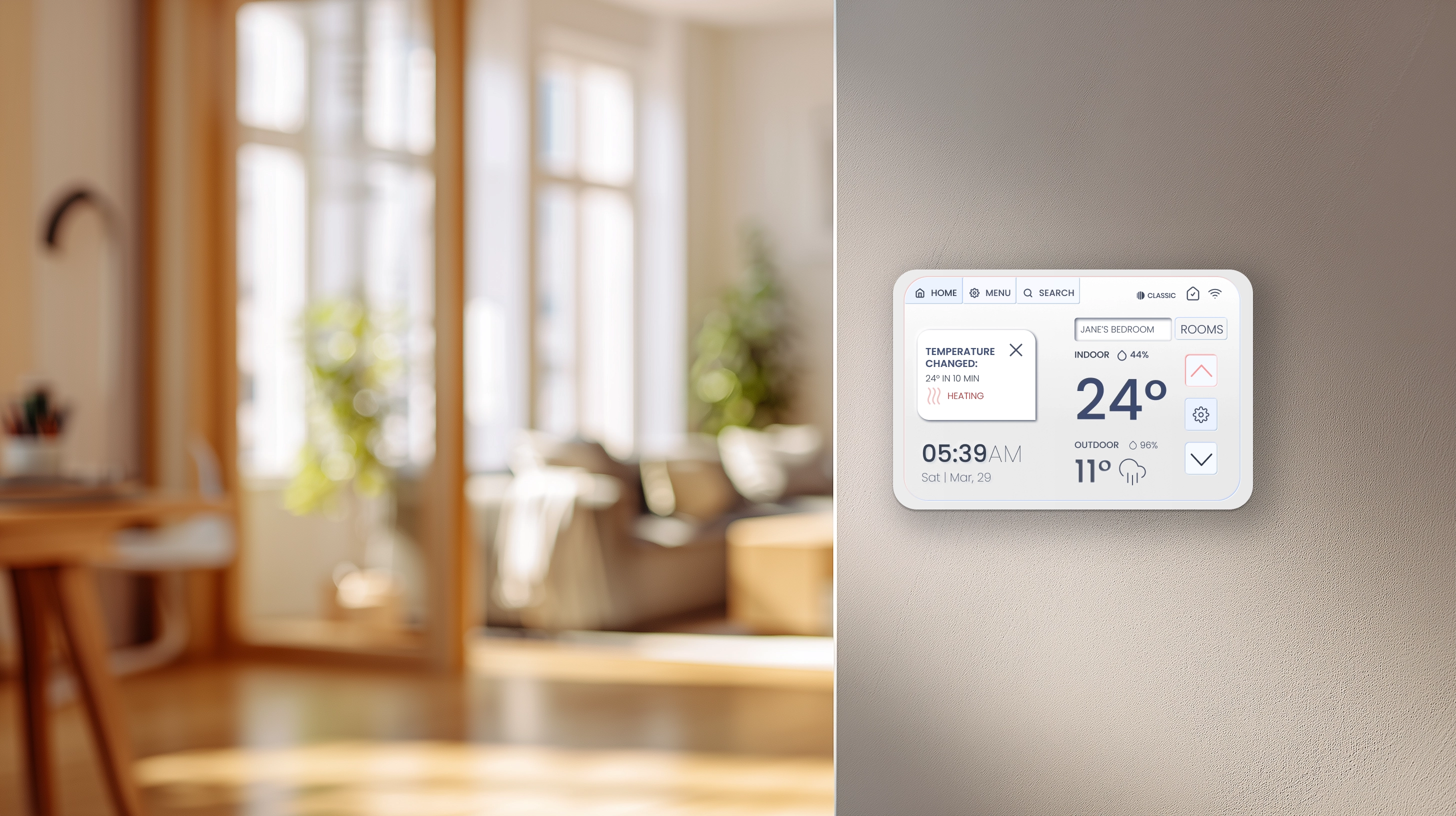
The Homy thermostat on a living room wall, showing that the temperature is rising to 24 degrees.

Product

UX/UI

Prototyping

About

Homy is a wall thermostat our team of four designed for the Experience Design course at Humber. Every mode works on the device itself, so seniors, guests and kids don't need an app. I led the team and designed the setup and Classic mode; this page shows only my part.

explore

Click through the Classic mode prototype in Figma.

My role

Role

Team lead; UX and UI for the setup and Classic mode

Timeline

One semester, January to April 2025

Team

Team of four designers

Tools

Figma
UX/UI
Team lead
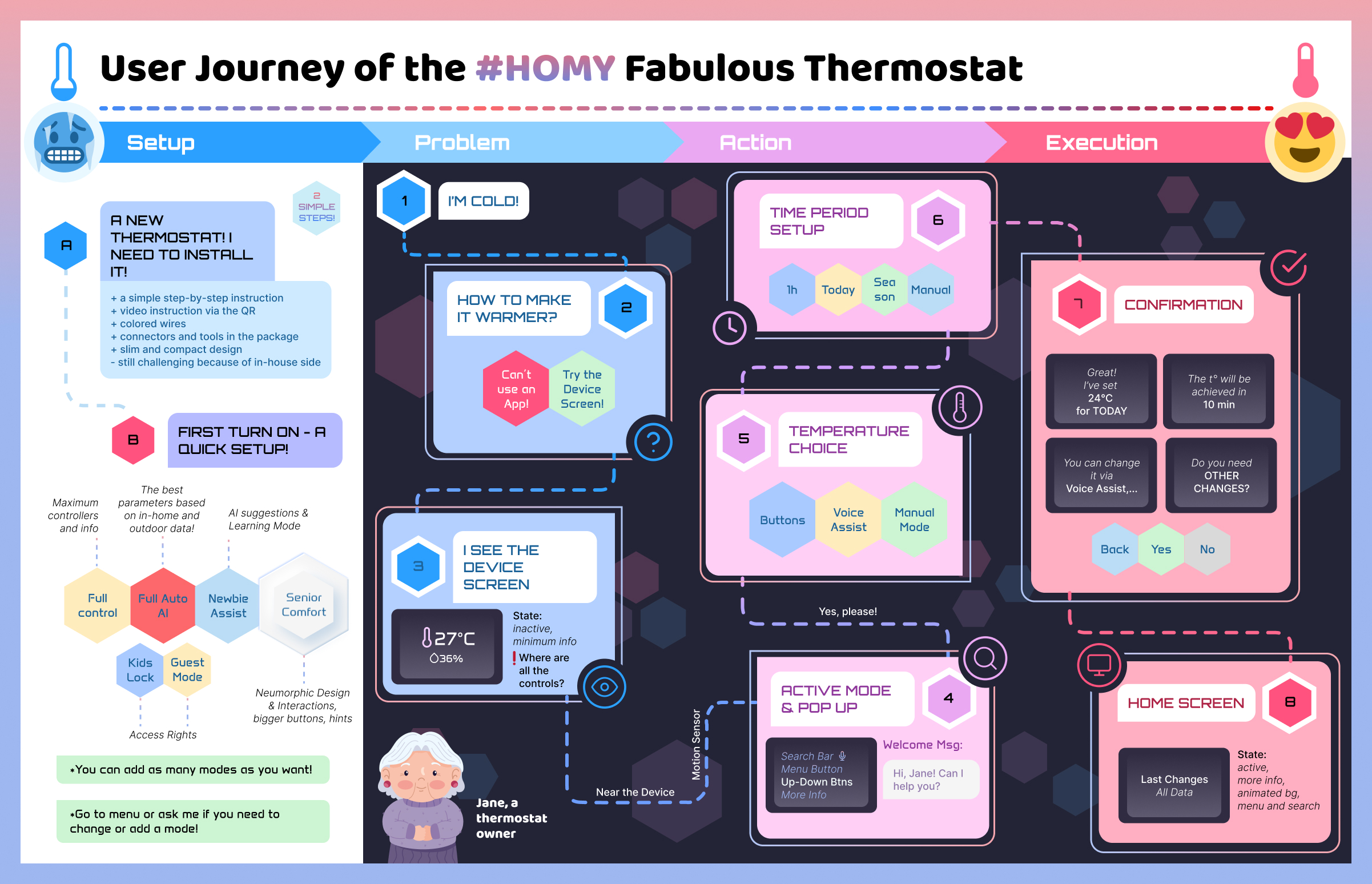
User journey infographic: Jane, a senior who owns the thermostat, goes from installing it to a warmer room in eight steps, from setup to the home screen.

In short

One thermostat that everyone in the house can use.

The problem

Smart thermostats are built for the owner with the app. Seniors, guests and kids share the same wall.

What I made

The setup flow and Classic mode: big type and buttons, a screen that wakes when you walk up, and changes by tap or voice.

The result

A clickable Figma prototype and the best project in our course. It was never tested with real users.

Process

One course, five steps

Questions

No app: now what?

User journey

Jane, from install to warm

Modes

Classic, Smart Auto, Guest, Kids

Setup flow

My part

Classic mode

My part

Figma prototype

From brief to design

01

Problem

Why it exists

Smart thermostats are built for one user: the tech-savvy owner with an app.

Homes are shared. Seniors, kids, guests and short-term renters use the same wall, each with a different level of digital confidence and different permissions.

02

Questions

What we asked

How do I make it warmer if I can't, or don't want to, use an app?

I drew the journey above for Jane, a senior who owns the thermostat: from installing it to changing the temperature on the device itself, with no phone.

03

Concept

How it works

One device with modes, so each person gets a screen that suits them.

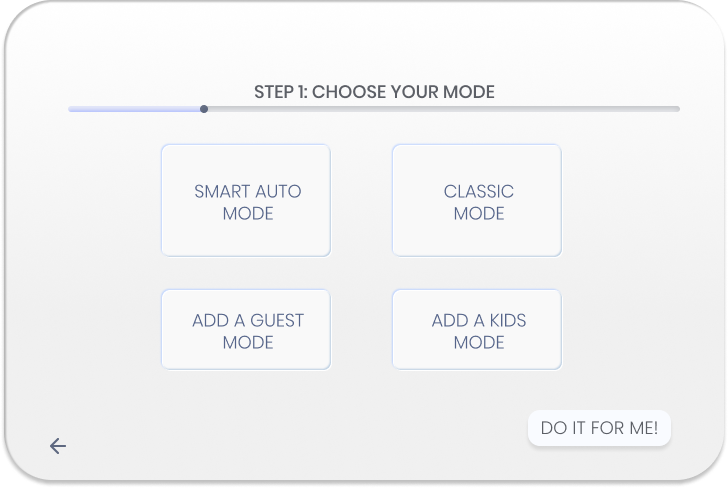
Classic for people who want buttons and big type, Smart Auto for app-first users, and optional Guest and Kids modes with limits. I designed the setup and Classic mode; my teammates designed the others.

Classic
Smart Auto
Guest
Kids

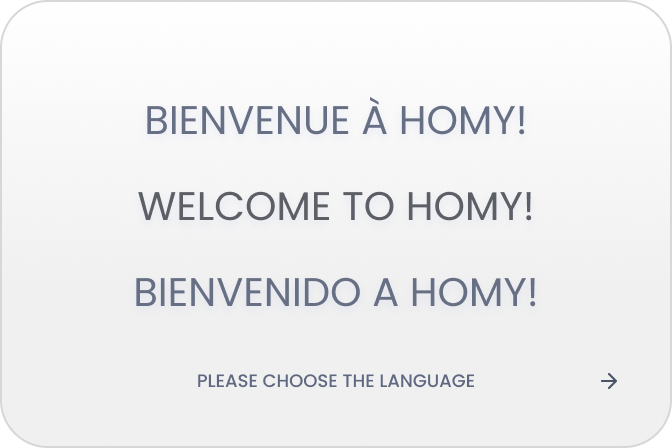
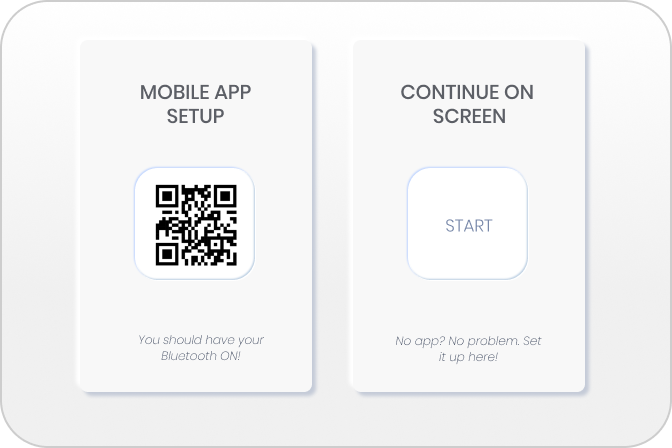
Setup, on the device

Classic mode

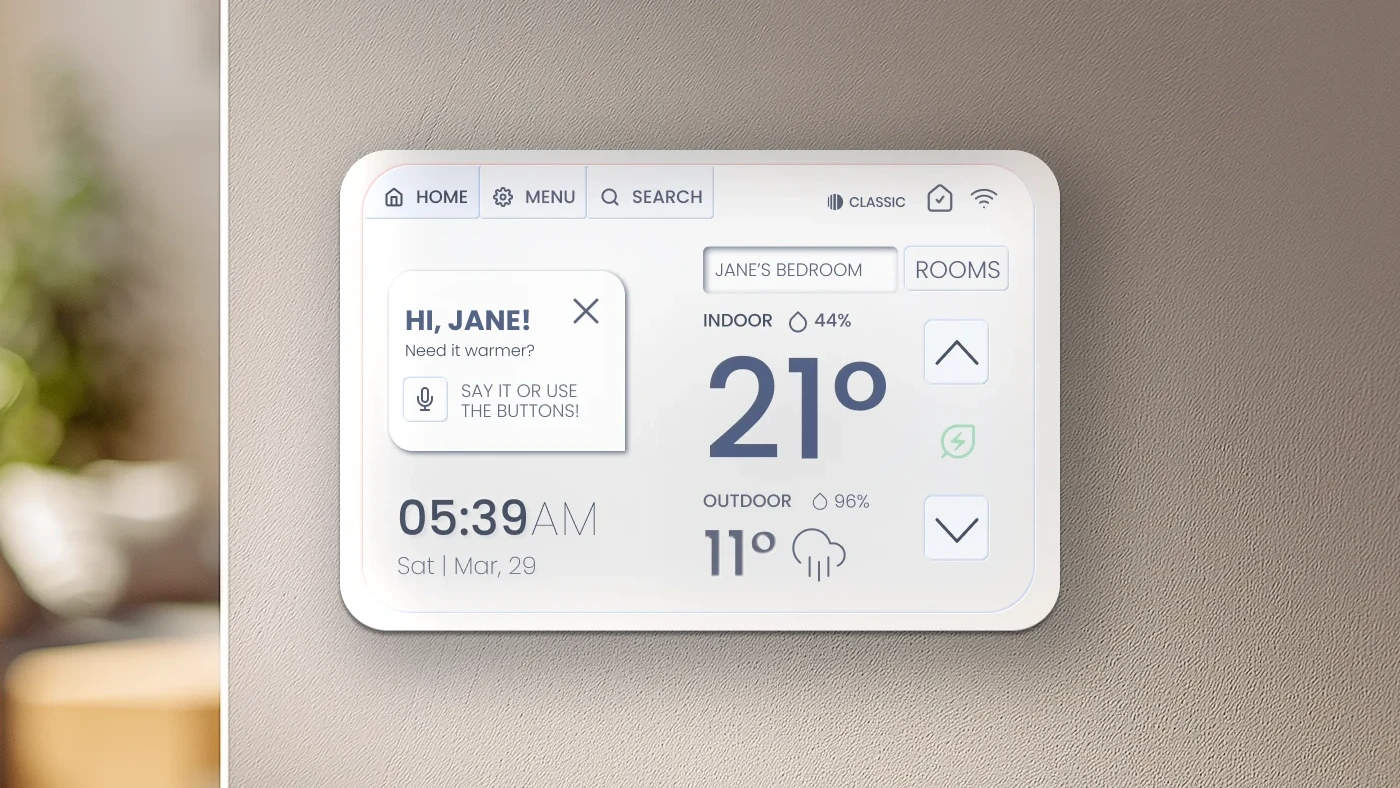
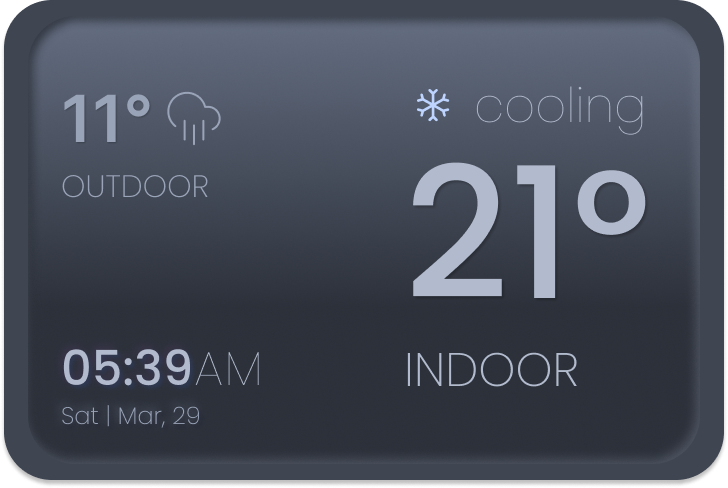
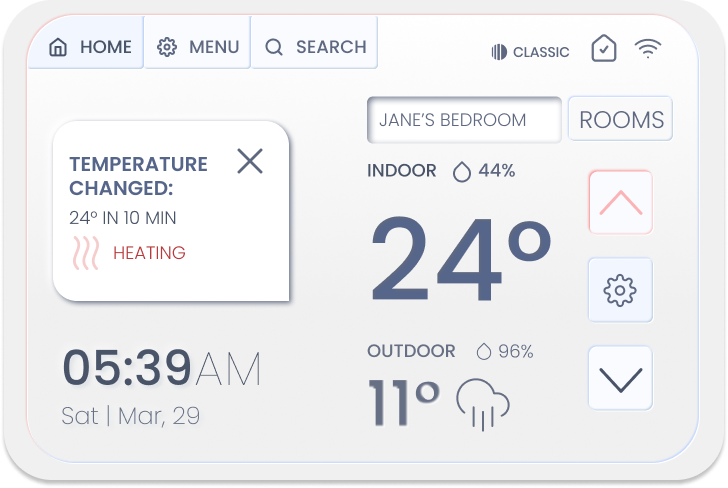
Homy on the wall in Classic mode: a greeting asks Jane if she needs it warmer, 21 degrees indoors, large up and down buttons.

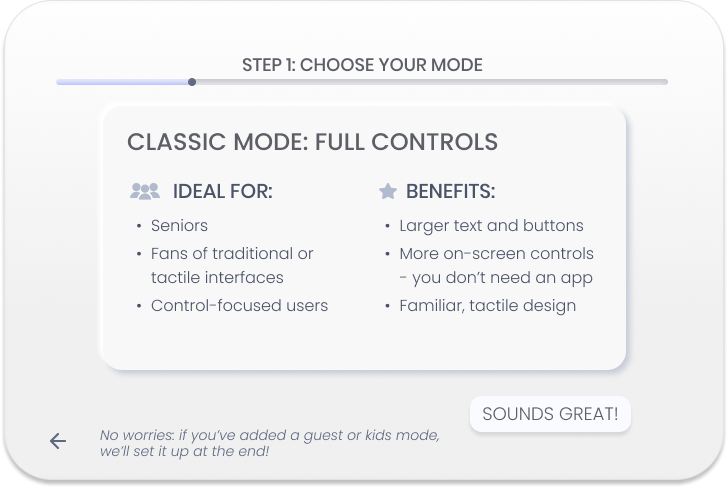
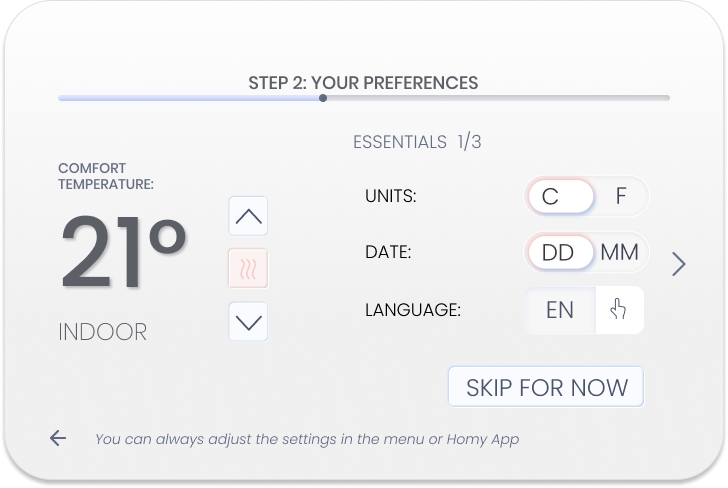
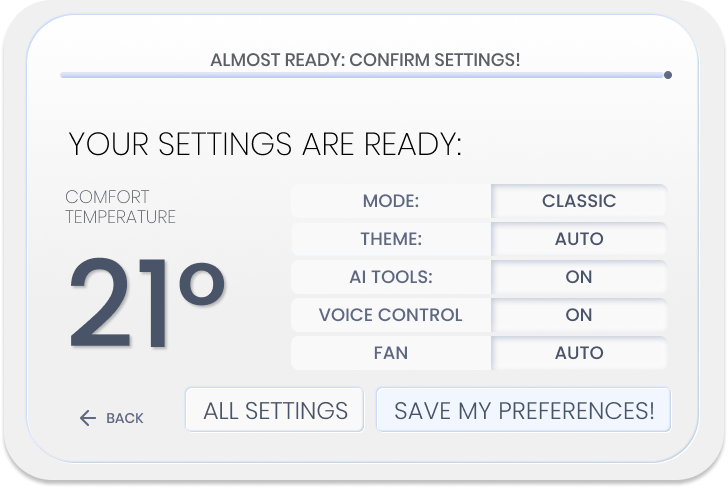
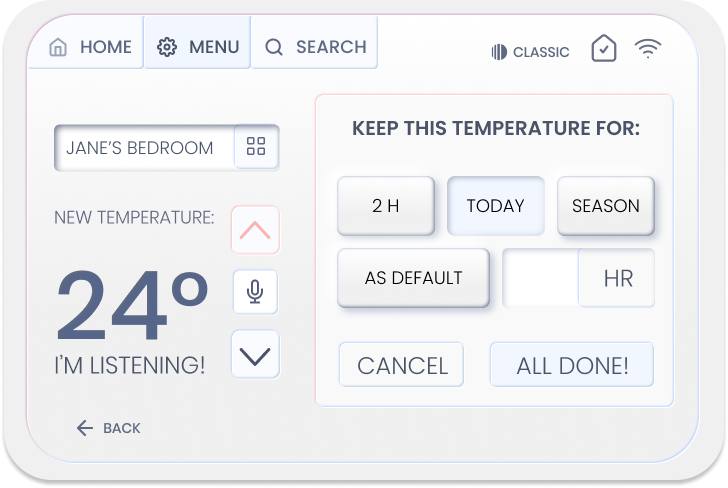
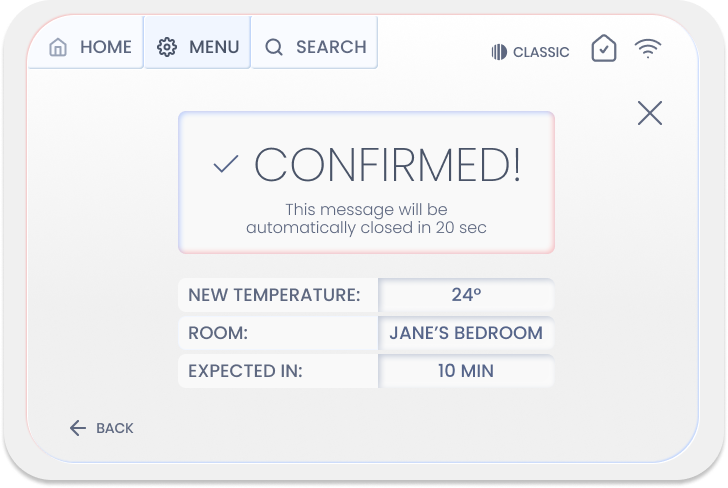
Setup: language, phone app or screen, mode choice, Classic mode, preferences, confirmation. Classic mode: the active home screen, night mode, and a temperature change from the home screen to the confirmation. Text contrast raised for this page.

Three decisions

Wakes as you approach

A motion sensor turns the calm, inactive screen into the active one, with controls and a greeting. Nobody has to find a button first.

Buttons that look pressable

Raised, neumorphic buttons on the screen give the tactile feel older users trust, with no physical buttons to tie the device to one mode. Their soft edges are also the weakest part; see below.

Extra settings stay optional

The arrows change the temperature straight away. Room and time period are one tap further, by touch or voice, and a confirmation says what will happen and when.

Results

What came out of it

A setup and a Classic mode that work without an app.

  • A clickable prototype of the setup and Classic mode in Figma
  • One journey, start to finish: the screen wakes, you change the temperature, you see it confirmed
  • Team lead for four designers: roles, schedule and the design direction

What I would do differently

Looking at it now, I'd make it easier to read.

  • Contrast. The soft greys looked calm, but most text was too faint. I darkened the text for this page; the button edges are still too faint.
  • Less all caps, heavier type. Thin capitals are slow to read for older eyes. A few short labels in caps can stay: a wall screen is read from a step away.
  • Testing. There was no usability testing in the course. I'd test the setup and Classic mode with older users first.