The TTC

Desktop Website Redesign

No items found.
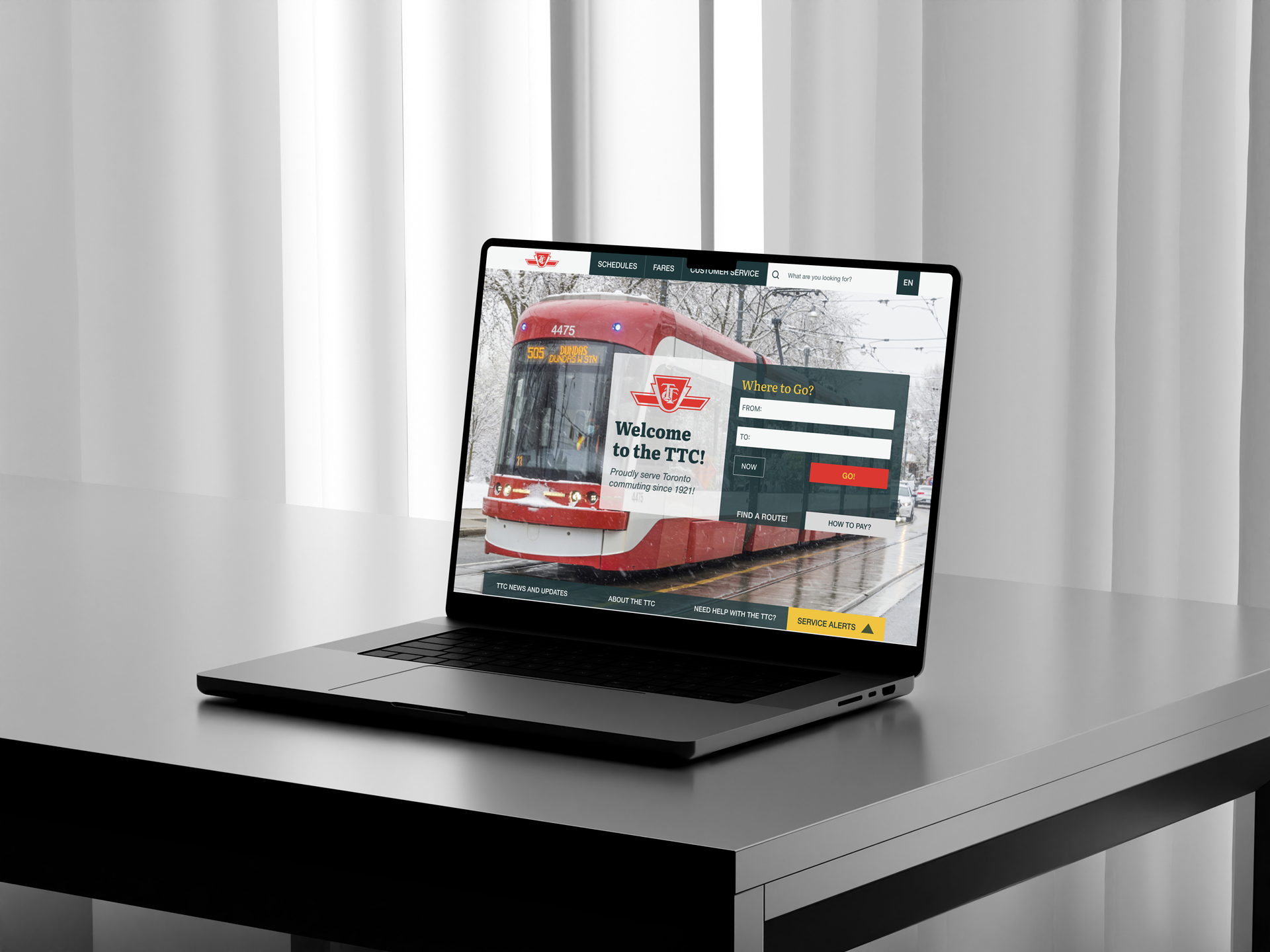
about:

How to make the TTC Website more user-friendly? I think I found some lovely ideas here! College Project for the Experience Design Course.

My Role:

User Experience Designer

Project Highlights

Desktop Prototype

User Experience Design

Student Project

Overview

TTC is a vital service for many Torontonians and visitors to the city. It’s essential to have quick, easy access to all necessary information, whether a user has some experience with the TTC or is a complete newbie.

Goals: Why

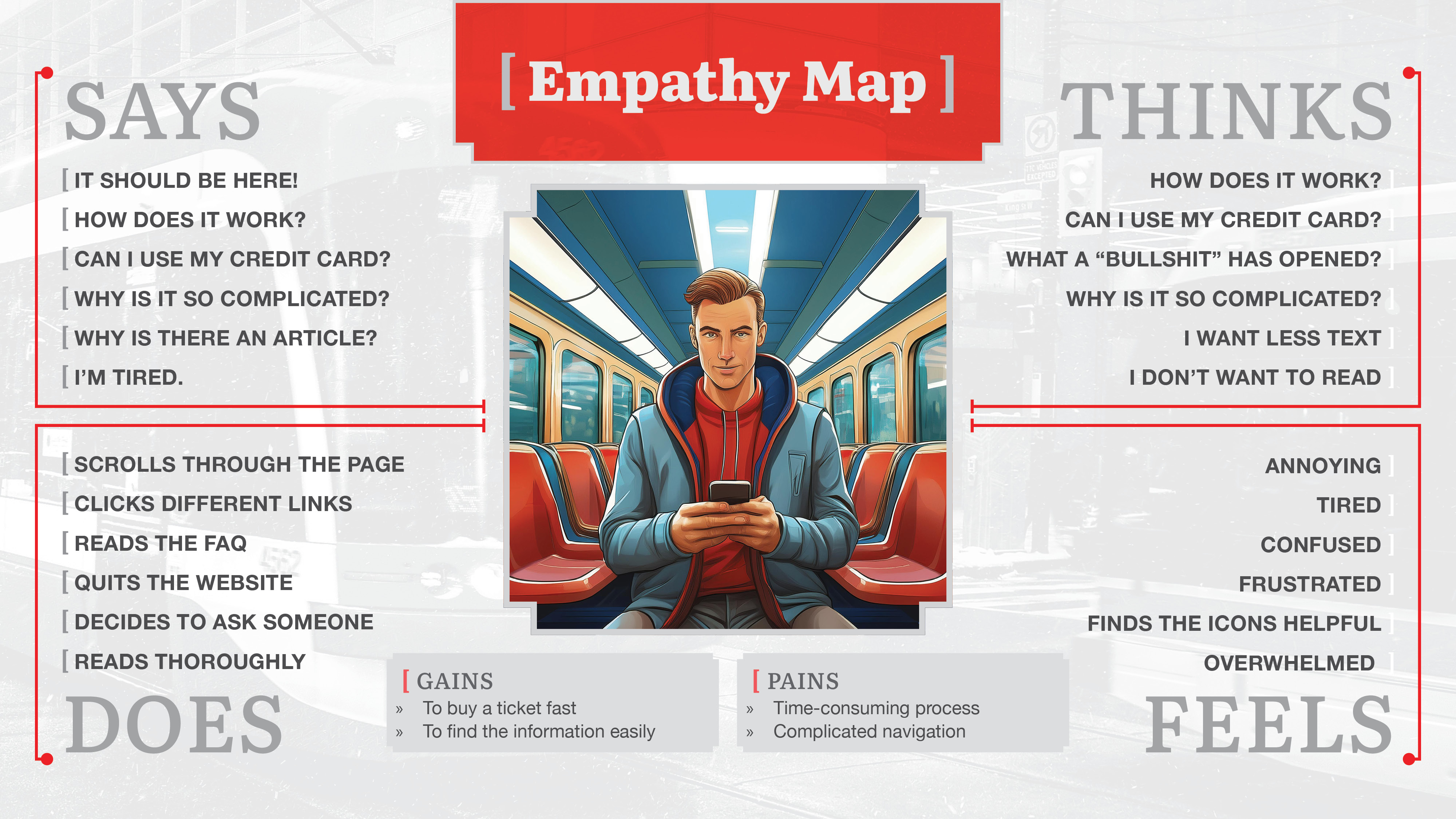
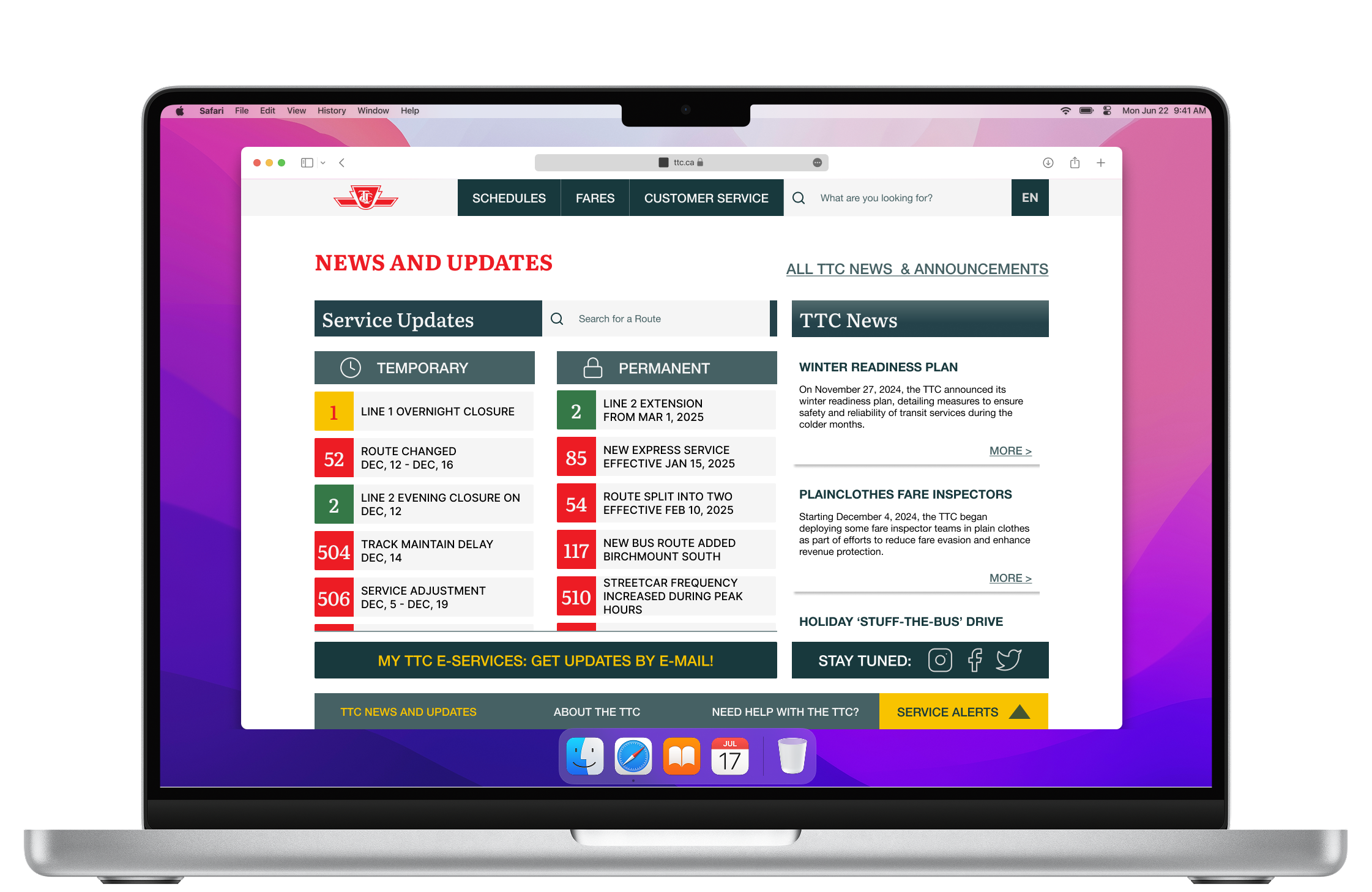
One of the issues with the website is the confusing way to buy a ticket or pass. Users are unable to do it directly from the official websites. The explanations are organized in text articles, and the links are confusing; for example, they don’t lead to the expected page.

Objectives: What

A high-fidelity prototype design in Figma for the following User Journeys:
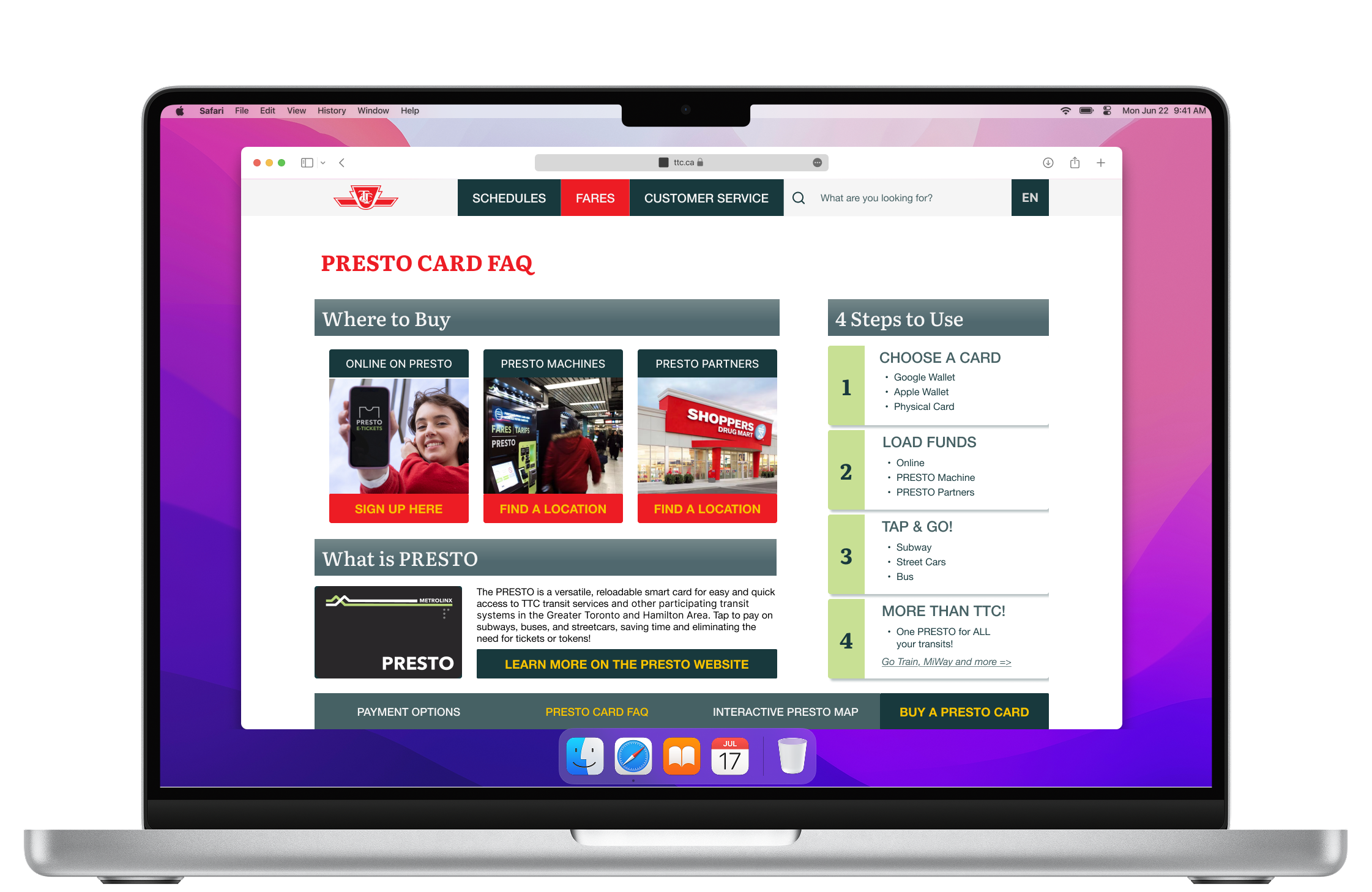
  • To buy a ticket or pass
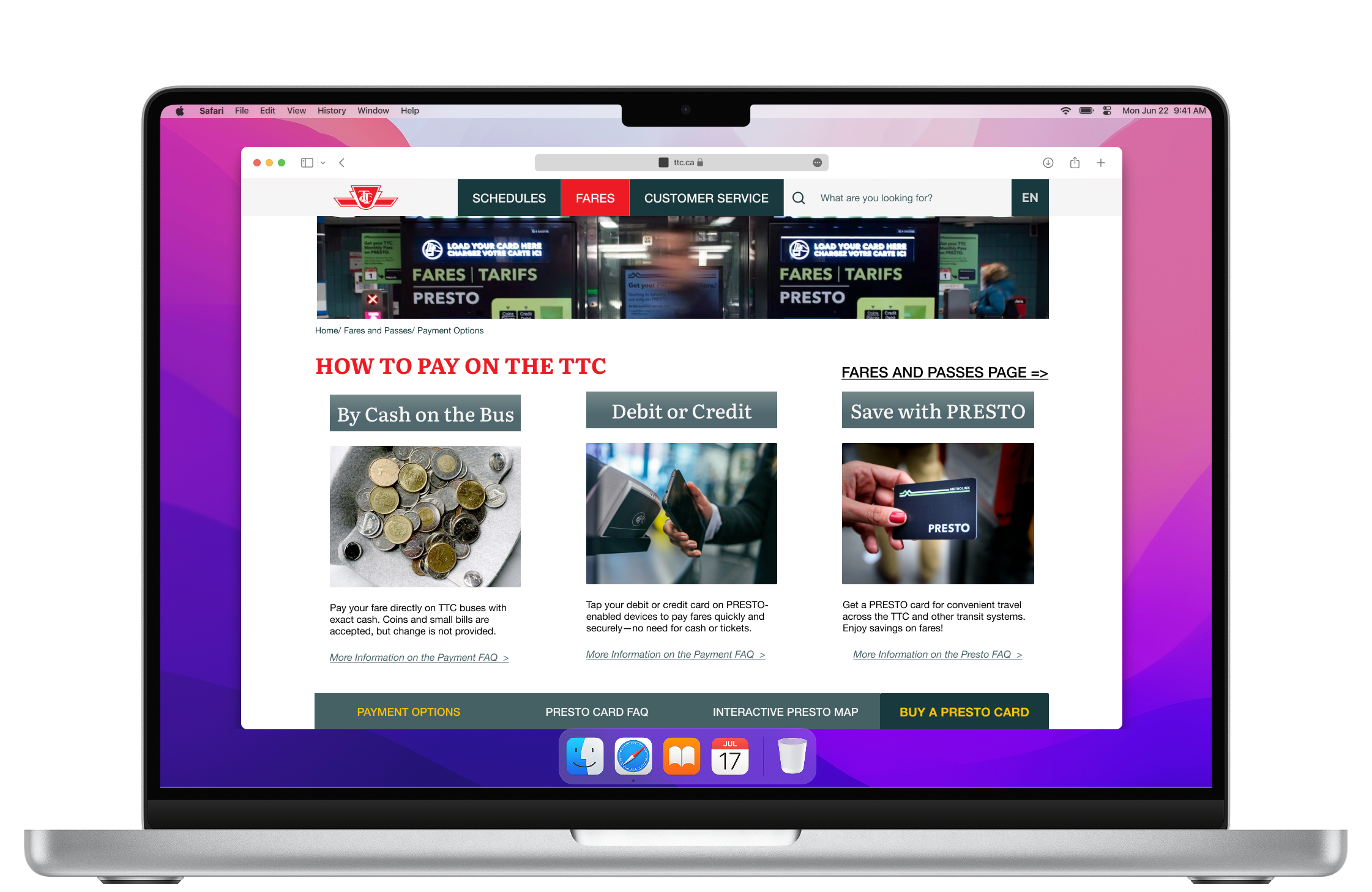
  • To find ways to pay by credit cards or cash

The TTC

: Research

Research Questions:

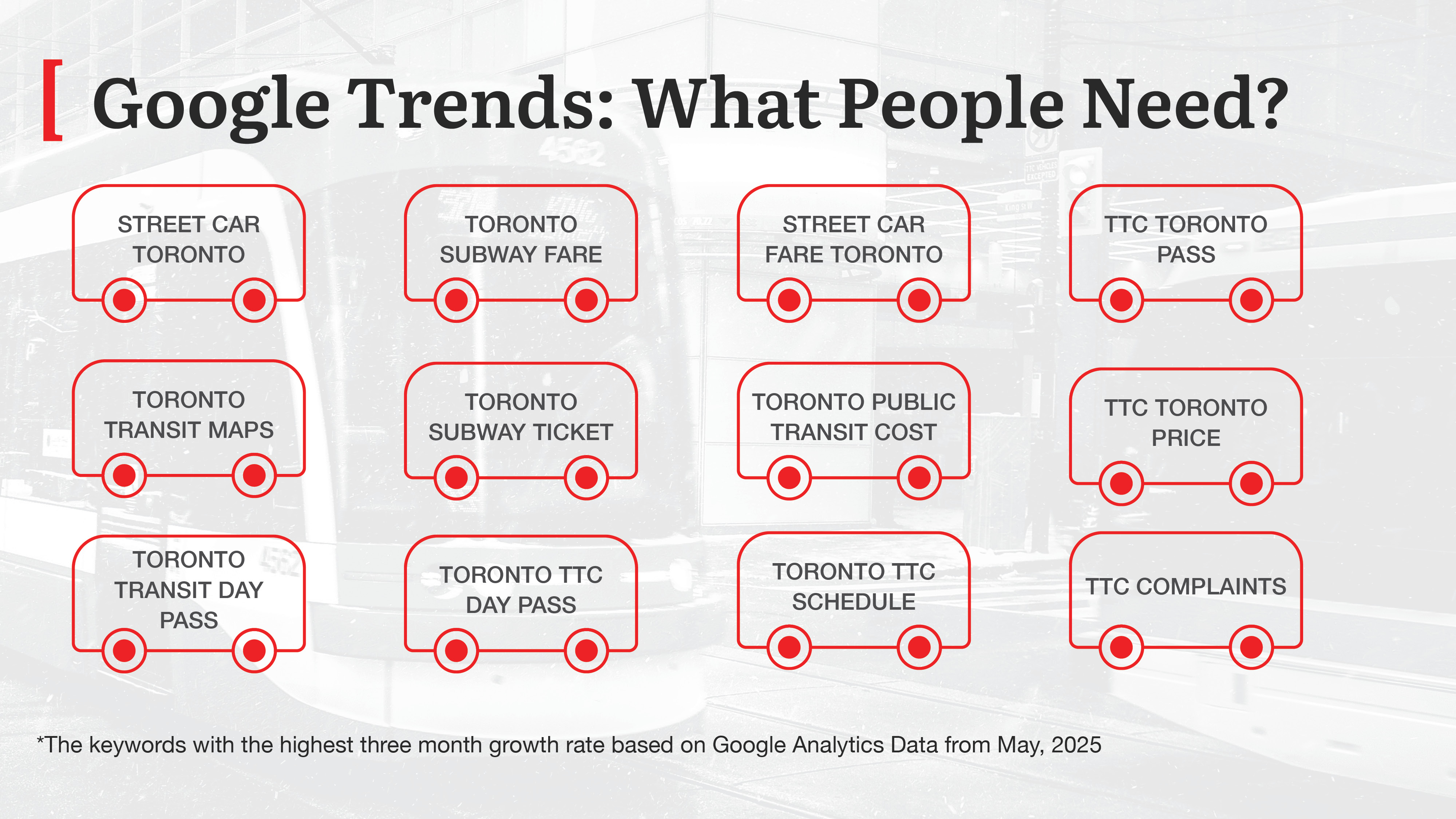
  • What are people looking for on the TTC Website?
  • What information should be seen first and foremost?

Research Findings:

  • People need easy, straightforward access to the fare prices, options to pay, and routes schedule

Research Sources:

  • Google Trends Analytics

Before

No items found.

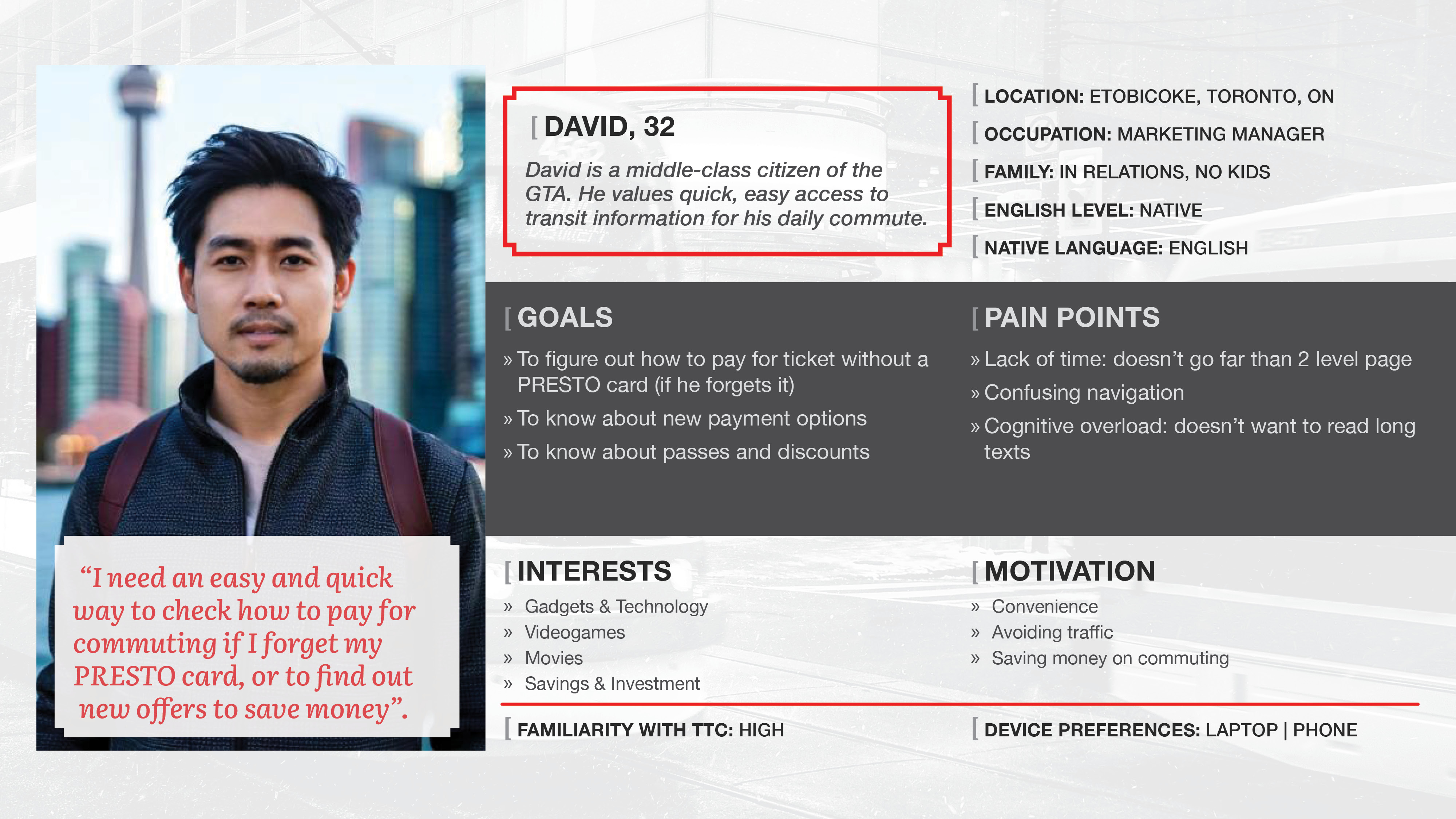
User persona

No items found.

Positioning & Strategy

POV Statement

A TTC customer needs an easy and quick way to get information about payment options and the option to purchase a ticket or pass directly from the official website because they want to save time and reduce cognitive load.

What If...

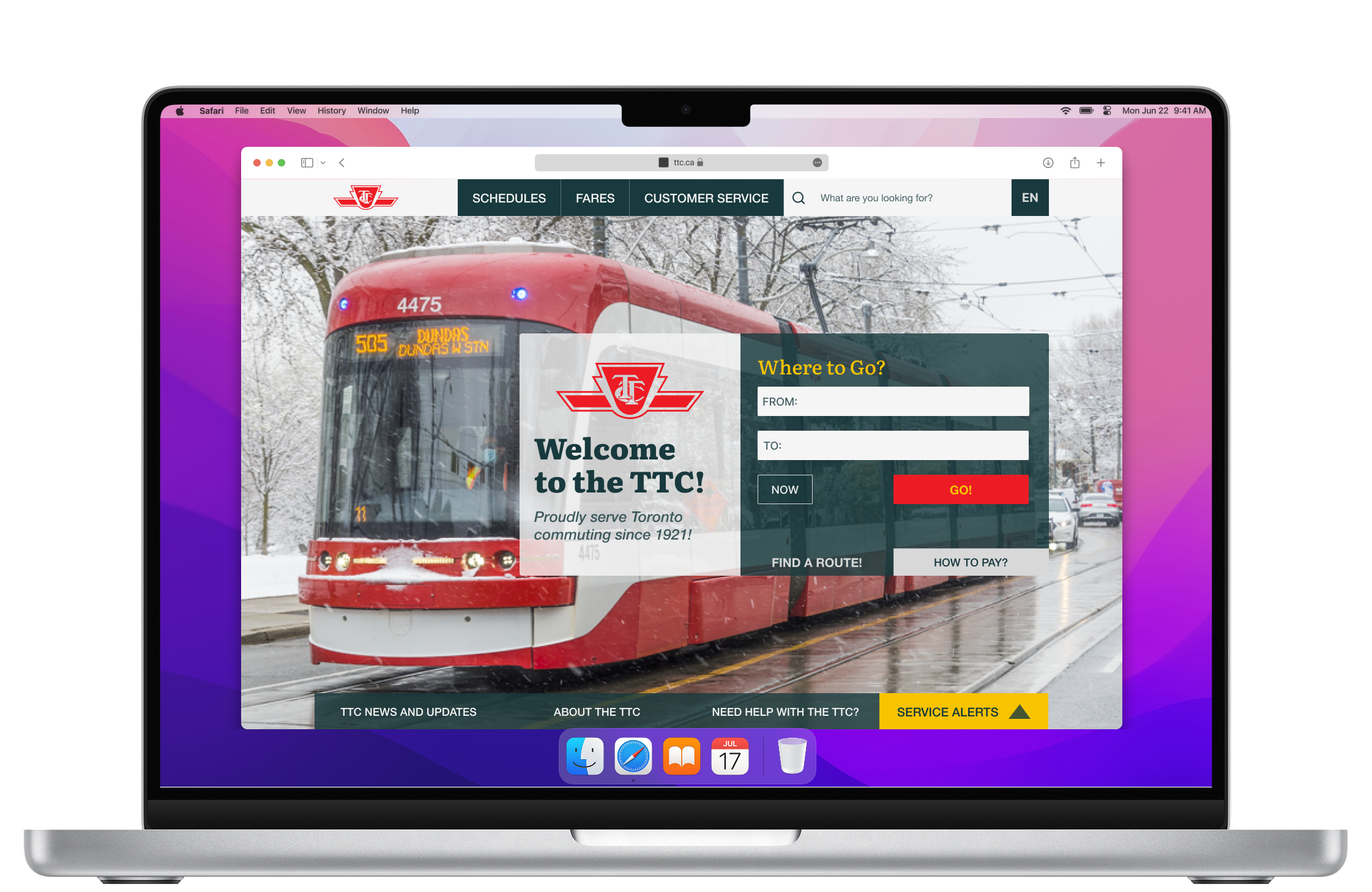
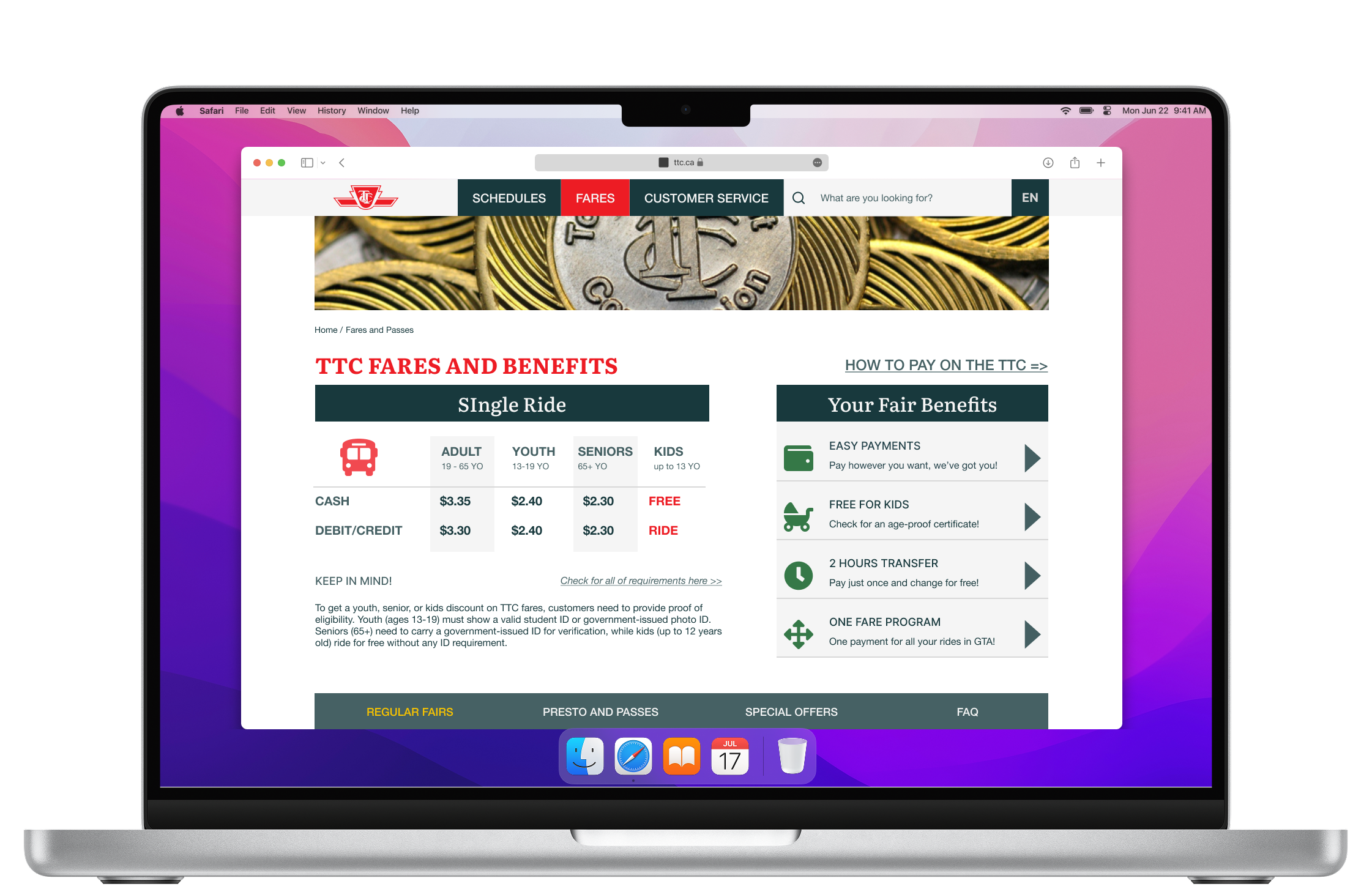
...users have access to fares information from different touchpoints: from the home page, from the navigation, and more detailed, from the delegated inner pages?

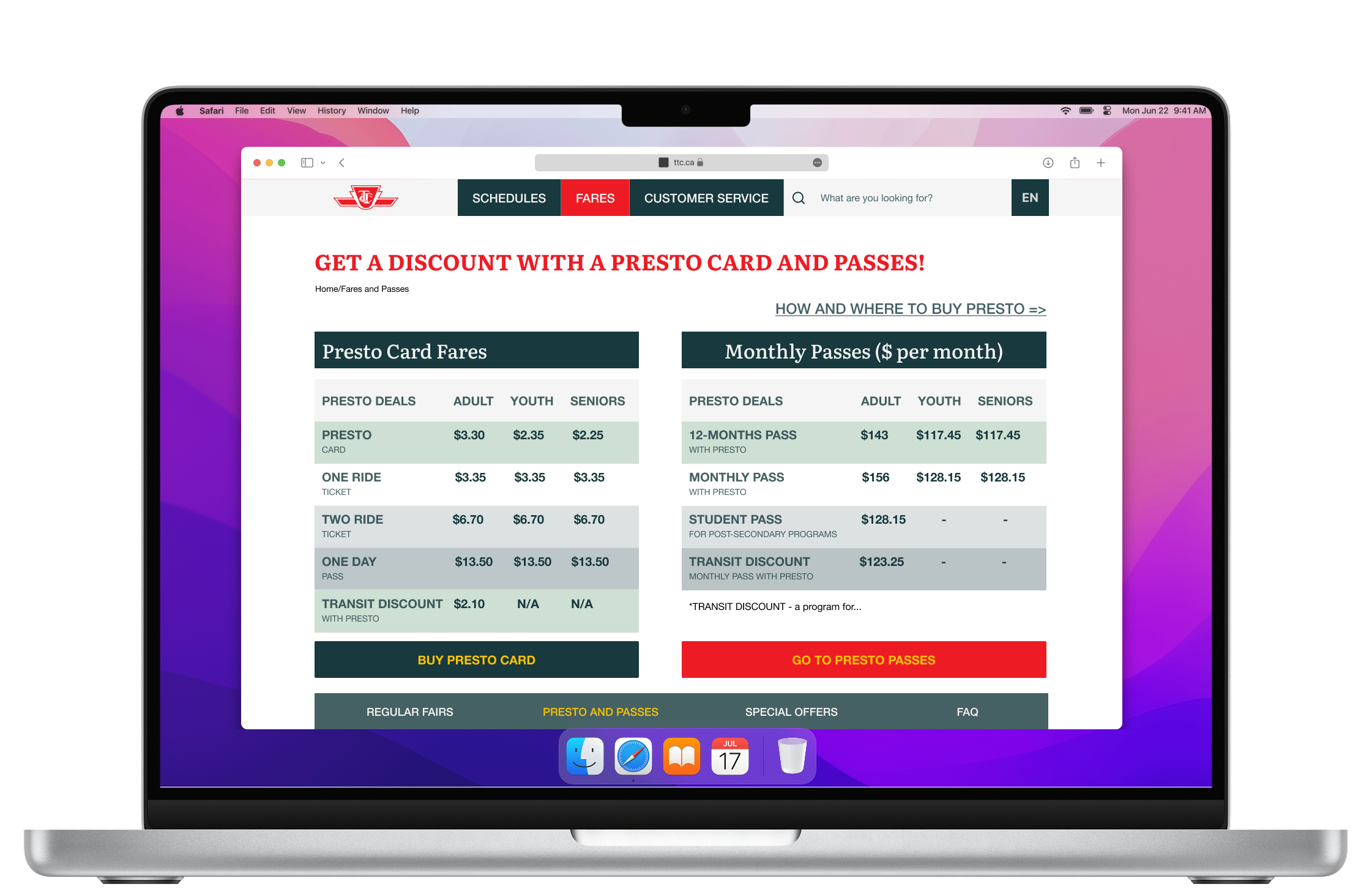
...we redesign formal-looking tables and make them look up-to-date?

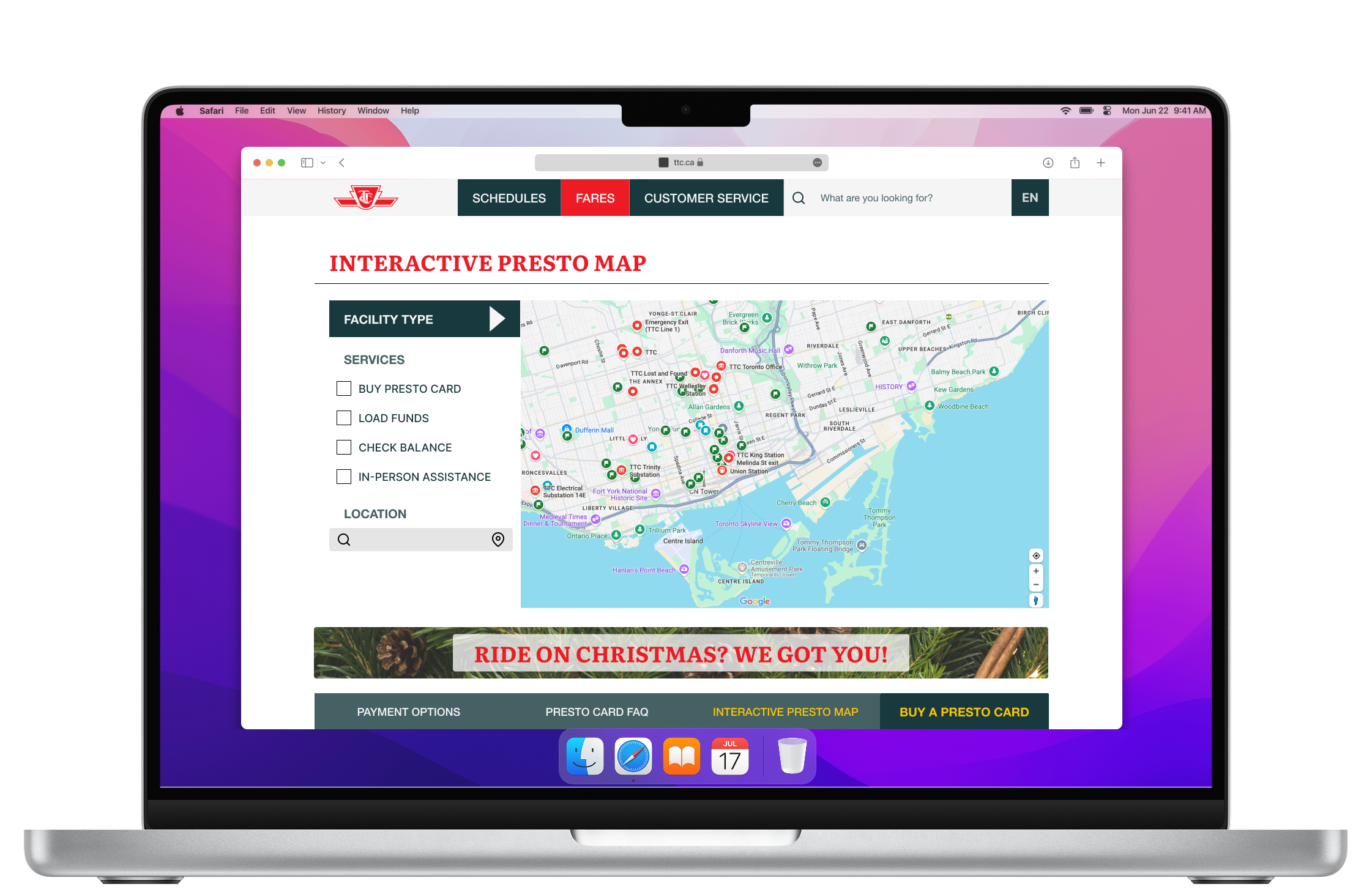
...we remove huge text blocks with dozens of links, and substitute them with visuals, bullet points, and interactive elements like a map?

The TTC

: Design Process

Mid-Fidelity Prototype

No items found.

Usability Testing Summary:

  • 3 participants
  • 2 tasks
  • 5 insights

Tasks and questions:

  1. To find a way to pay
  2. To find how much it costs

Insights:

  • The drop-down menu surprised the user, but didn’t confuse him
  • The user didn’t like tables; it’s still difficult to perceive
  • A user likes the drop-down menu, but suggested more white space
  • The Fares page is well-organized, but the amount of information is frustrating.
  • User was confused with the name “Payment Options” for the “How to Pay” page

The TTC

User-Friendly Desktop Website

A whatsapp icon
Try the Figma Prototype!

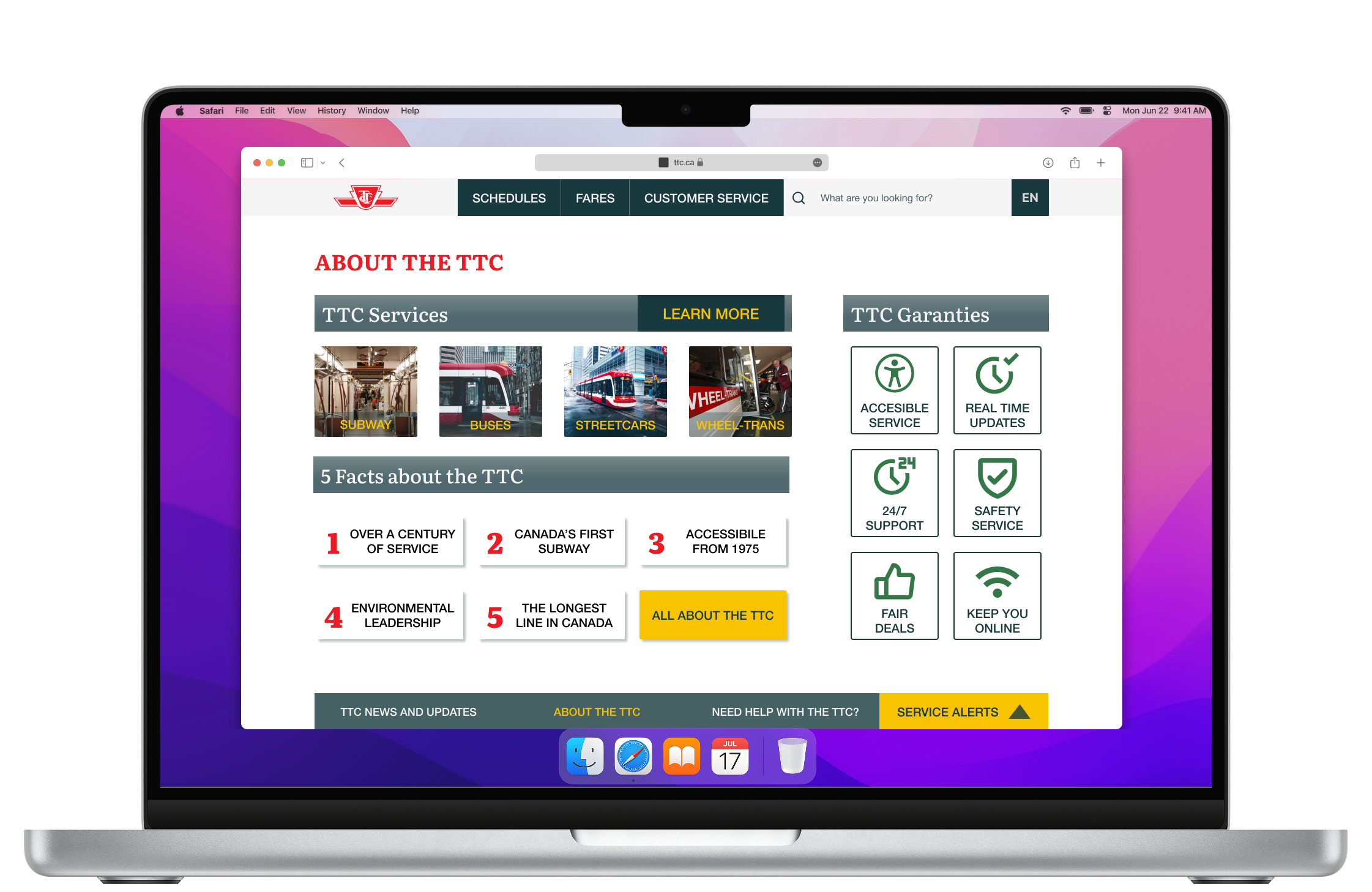
Home Page Redesign

No items found.
No items found.

Fares Page Redesign

No items found.
No items found.

Payment Options Page Redesign

No items found.
No items found.

Wins and Future Plans

Project wins & outcomes:

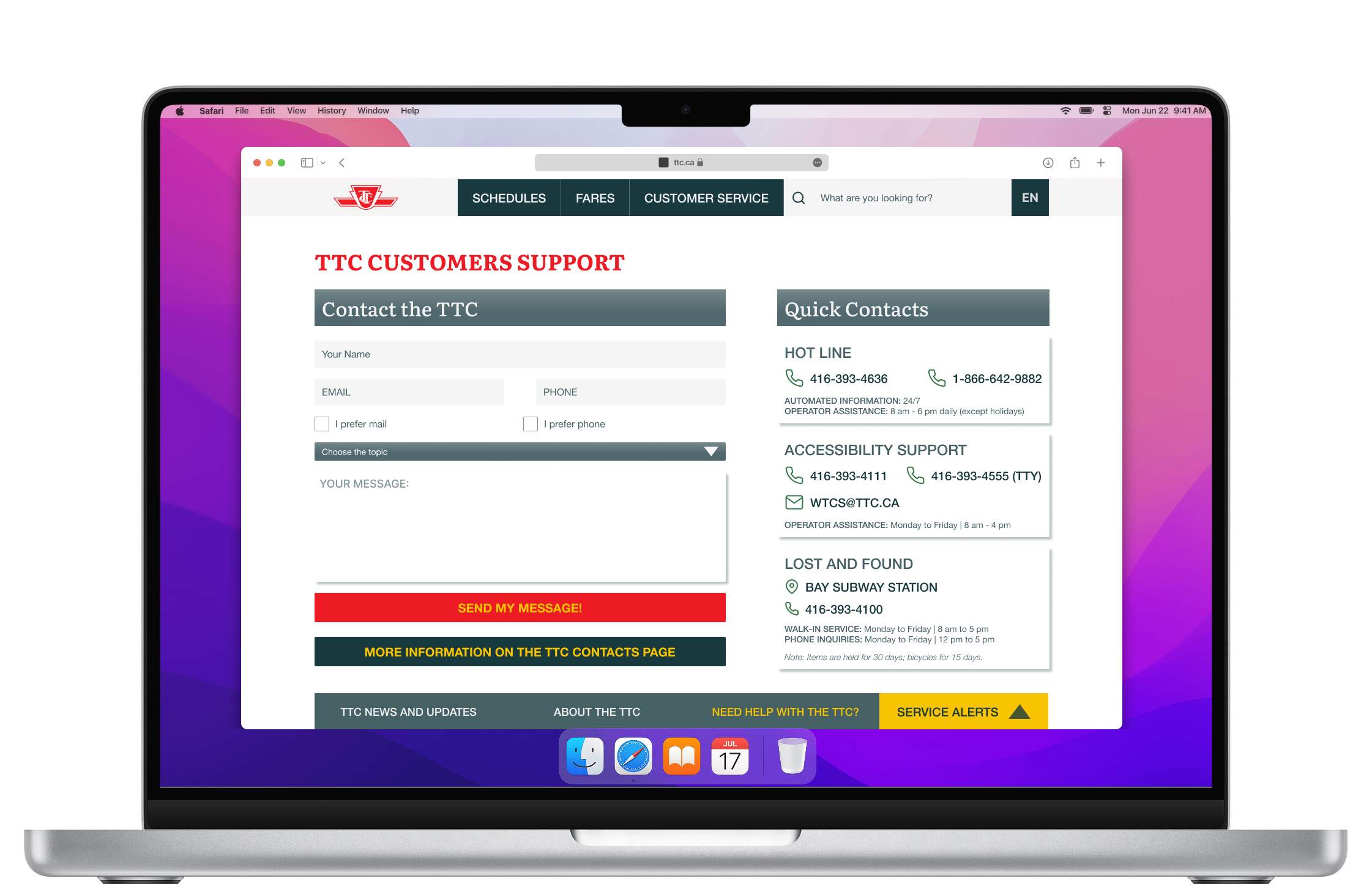
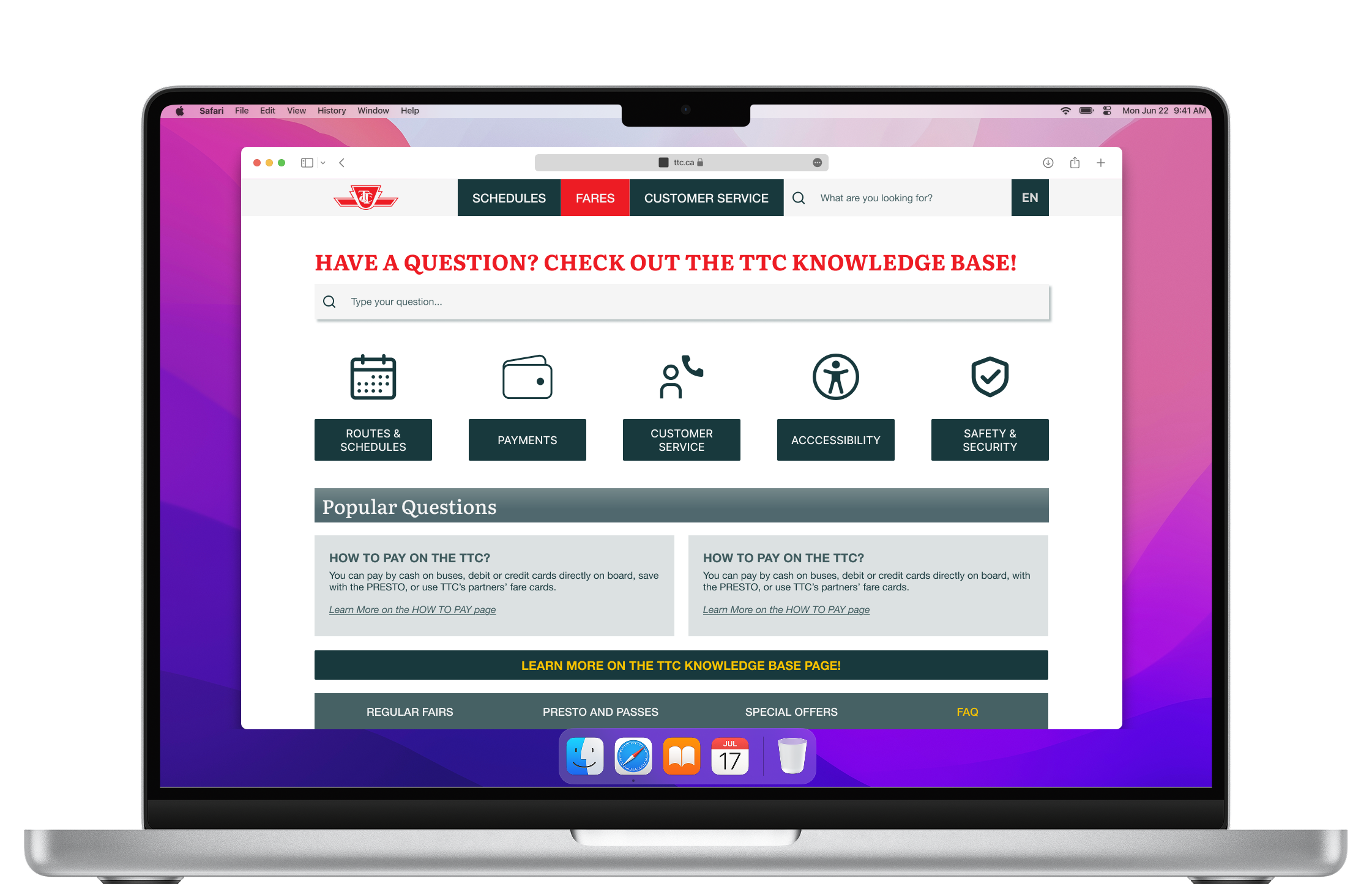
  • For both user journeys—to Find How to Pay & to Buy a Ticket—users now have access from different places and touchpoints: from the home page, from the smart navigation, and from the delegated inner pages
  • Huge blocks of plain text and hard-to-read tables redesigned to modern webpages
  • The new visual style preserves brand guidelines but looks more balanced in terms of color harmony, white space, or visuals.

Limitations & Future Plans:

  • Project is still informations heavy
  • Users still have to go to the third-party (Presto) website to buy a pass
  • As a next step, it could be a mobile app and website breakpoint design

Please, briefly share the highlights of your project:

- Is it for print or web?
- What is the deadline?
- What do you expect from our collaboration?

and anything else you see as important!

Thank you! Your submission has been received!
Oops! Something went wrong while submitting the form.